
The all-in-one platform for automated type beat uploads across YouTube, BeatStars, and SoundCloud, straight from your DAW. Auto-generated thumbnails and videos, optimized releases that get found, data analytics, and beat management, without the busywork.
Start in the session, in the app, or hand it to an AI agent. Wherever you start, the same release comes out.
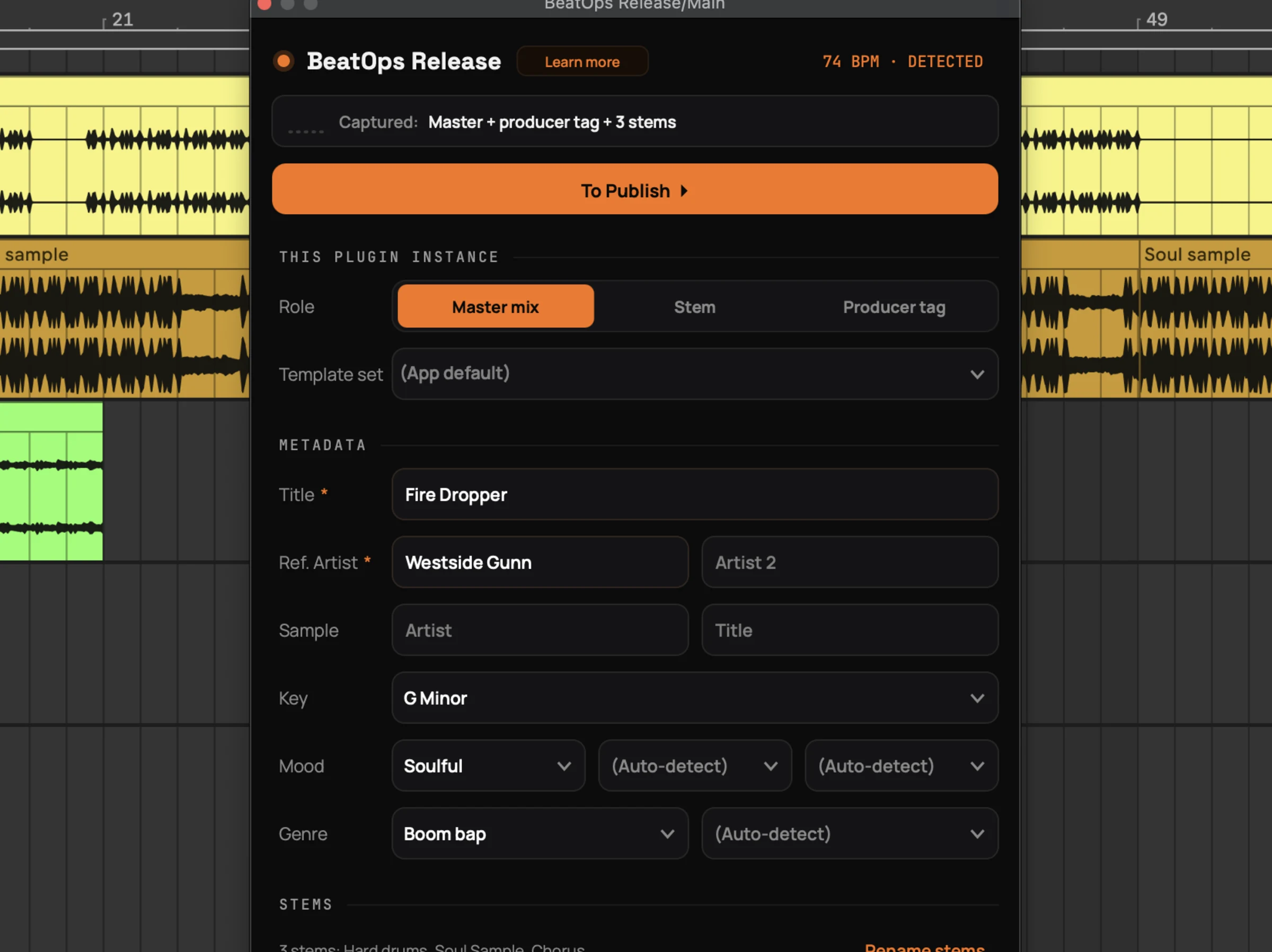
BeatOps Release is a VST3/AU plugin on the master bus in your DAW. Bounce like you always do, hit Save & Publish, and the beat is on its way to YouTube (Shorts), BeatStars and SoundCloud. No context switch, no upload checklist: you are already on to the next beat.
Stems come along in the same bounce, and the plugin can keep your producer tag off the exported stems, so a buyer gets a clean download. It works where you work: FL Studio, Ableton Live, Logic Pro, REAPER, Cubase, Studio One and GarageBand.
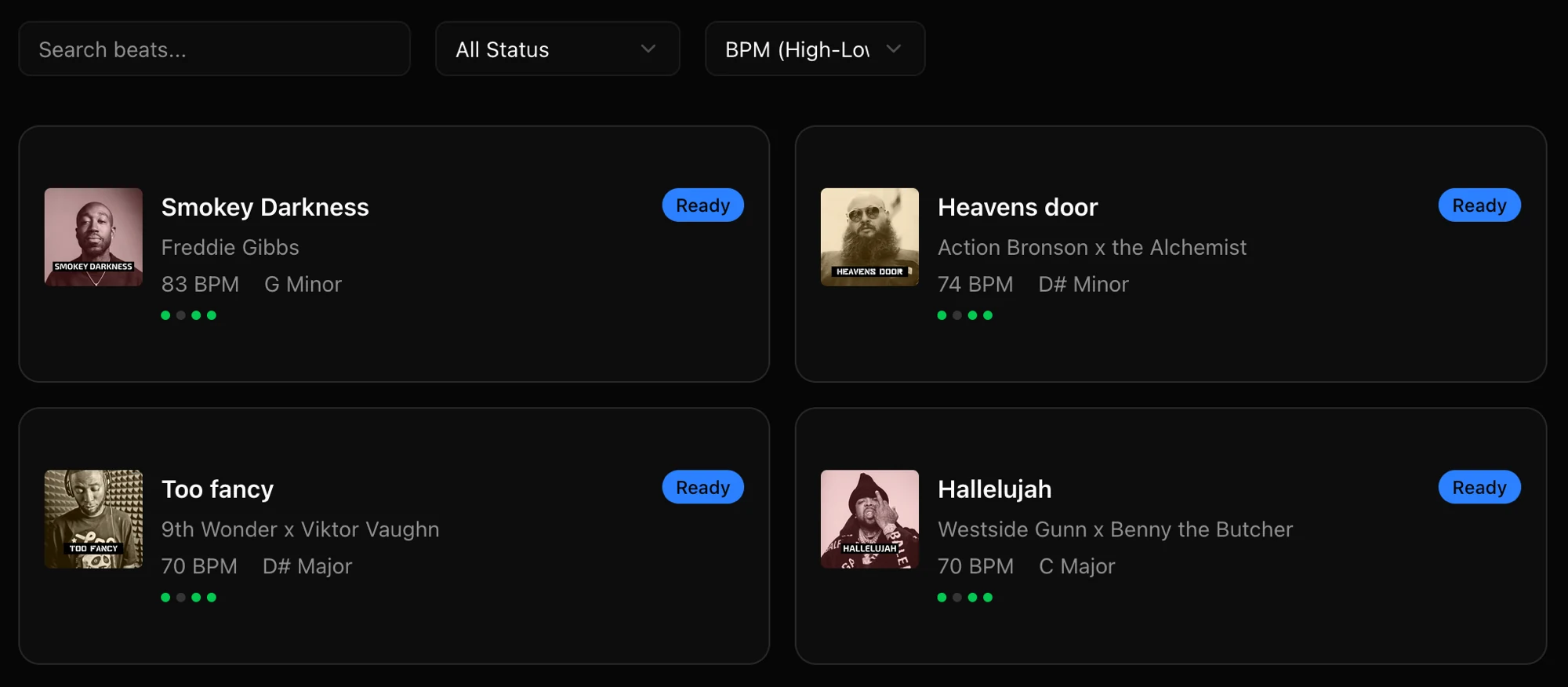
Point BeatOps at your beats folder and it analyses what it finds, then builds the artwork, video and metadata for each one. Add your producer tag, clip a vertical Short from any beat, and it is ready to go out. Handy for a back catalogue, and for batch runs where you want to see every beat before it goes out. This is also where your templates, analytics and release pipeline live.
BeatOps speaks CLI and MCP, the language AI agents use, so it plugs straight into Claude Code, Codex, Cursor or any other AI tool. Releasing a beat turns into a short conversation.
Ask in plain text, "release my latest beat to YouTube, BeatStars and SoundCloud," and the agent searches your library, analyses the beat, builds the artwork, video and metadata, and lines up the upload. It always pauses before anything goes public, so you approve it and it ships.
BPM, key, mood, and genre detected automatically from your audio files.
Thumbnails in 3 formats and videos that move with your beat, generated with one click. Your style, applied automatically.
Set up titles, descriptions, and tags once. Every upload stays consistent.
YouTube Main, YouTube Shorts, BeatStars, and SoundCloud from one place. Schedule or publish now.
See what's working. Track type beat metrics and growth across YouTube and SoundCloud.
Beats, stems, thumbnails, and videos stay linked, searchable, and ready to release.
I'm enjoying the app! I tried to build something very similar myself. The browser automation and getting everything to work seamlessly together was the hard part, you did it! It just makes the whole process of uploading beats so much simpler.
 @rothwellvale
Try it on your next beat. BeatOps runs on your own machine and is free to start, no account needed.
Download BeatOps FreeYour part is a few clicks: templates fill in the metadata, artwork can even pick itself if you let it, and Save & Publish sends it off. Generating the video and uploading to BeatStars take a few minutes more, but all of that runs in the background while you work on the next beat.
Yes. The app stays free, and every tool comes with it: the DAW plugin, the CLI and the MCP server. The free Starter plan includes 10 uploads per platform plus 10 image and 10 video generations, enough to take real beats all the way out. That allowance is one-time, not a weekly reset. Paid plans lift the limits, add unlimited templates, and drop the description credit. See our pricing page for details.
Yes. BeatOps Release is a VST3/AU plugin that sits on your master bus and captures your beat the moment you bounce, then publishes it. Tested in FL Studio, Ableton Live, Logic Pro, REAPER, Cubase, Studio One and GarageBand. See the DAW plugin.
YouTube Main, YouTube Shorts, BeatStars, and SoundCloud, all from one workflow. See all features.
Yes, BeatOps runs on both macOS and Windows. It's a desktop app that runs locally on your machine.
Yes, your beats never leave your computer. BeatOps runs 100% locally: content only leaves your machine when you explicitly push to a platform. Read our privacy policy.
Yes, both. The CLI is included with the desktop app for scripting and automation. BeatOps also includes an MCP server for AI agents like Claude and Cursor. Uploads always require your approval. CLI guide / MCP guide.
You connect your YouTube, BeatStars, and SoundCloud accounts once. After that, BeatOps handles authentication automatically for every upload. Getting started guide.
Download BeatOps free. Upgrade anytime.